Your team, thoughtfully built.
Claude Code and Codex in One AI Team: How to Use Both
You can use Claude Code and OpenAI's Codex on the same work. The trick is to give them different jobs, one shared set of project instructions and a clear handoff, so they build on each other instead of overwriting each other. You don't need both to start; many people begin with one and add the other once a second set of hands would help. Let's look at why two helps, how to divide the work, and how to keep them from stepping on each other.
Why use both
Most people pick one coding agent and stay there. Using two gives you:
- A second perspective. One agent builds, the other reviews. A fresh model catching what the first one missed is useful in the same way a second engineer is.
- Parallel work. Two agents on two separate tasks can save time, as long as each works in its own copy of the project and someone integrates the results. Separating files alone doesn't guarantee a net gain; coordination has a cost too.
- A fallback. When one gets stuck on a problem, you can hand the task to the other with the context intact instead of starting over.
People who run both on real projects describe the same benefits and the same pitfalls: see guides from MindStudio, Chase AI and Nimbalyst.
How to split the work
Assign by role, not by whim. We recommend one of these two splits:
- Builder and reviewer. One agent writes the change; the other reviews it against the task and the tests before it reaches you.
- Two specialties. One agent owns the user-facing product; the other owns backend, integrations and reliability. That's the split a growing team makes when its Product & Platform Engineer role divides in two (see the starter AI org chart).
The three rules that keep two agents from colliding
These come up in almost every guide on running both.
- One source of truth for instructions. Codex reads AGENTS.md, and Claude Code reads CLAUDE.md. Current Claude Code (v2.1.277 or later) can also read a project's AGENTS.md directly, but by default only when there's no CLAUDE.md. The simplest shared setup keeps your rules in AGENTS.md and puts one line,
@AGENTS.md, in a CLAUDE.md next to it, so both agents follow the same file (Anthropic's Claude Code memory docs). - Give each agent its own working copy. If two agents write the same file, the last save wins, and separate branches in the same folder don't stop that, because both agents still edit the same files on disk. For concurrent work, give each agent its own working copy (for example a separate git worktree) and name one owner who integrates the changes.
- Write handoffs down. A short shared log (what was done, what's next, what's blocked) lets either agent pick up where the other stopped.
A worked handoff: builder and reviewer
Here is the builder-and-reviewer split on a made-up job, a booking page for a bicycle workshop. One agent changes the page from the approved offer. The other reviews the claims before anything goes live.
The request: "Prepare a booking-page change from offer-v2.txt. Return the changed files and a checklist of every claim on the page. Do not publish. Keep the existing booking logic. Leave the unconfirmed venue as an open question, then write a handoff for a separate review."
The builder's handoff names the goal, the exact files changed, the checks already run and what is still open. The reviewer reads the source file, not the builder's summary.
In this example the copy correctly says tools are supplied, but the button reads "Get your guaranteed repair." The offer promises a class, not a guarantee. The reviewer rejects the stronger promise and sends back "Reserve your workshop place." One integration owner applies the fix and re-checks the page.
That catch is the reason to run two agents. Two agents agreeing is not proof, though, and neither is a page that builds without errors: someone still has to try the real booking flow. The example is illustrative, not a record of a customer project.
Start with one, add the other
You don't need two subscriptions on day one. Start with the agent you already use and set up the team around it. When you want the second, add it to the same team: the roles, instructions and history stay, and you reassign whichever roles you want the new agent to own.
How Staffmor handles both
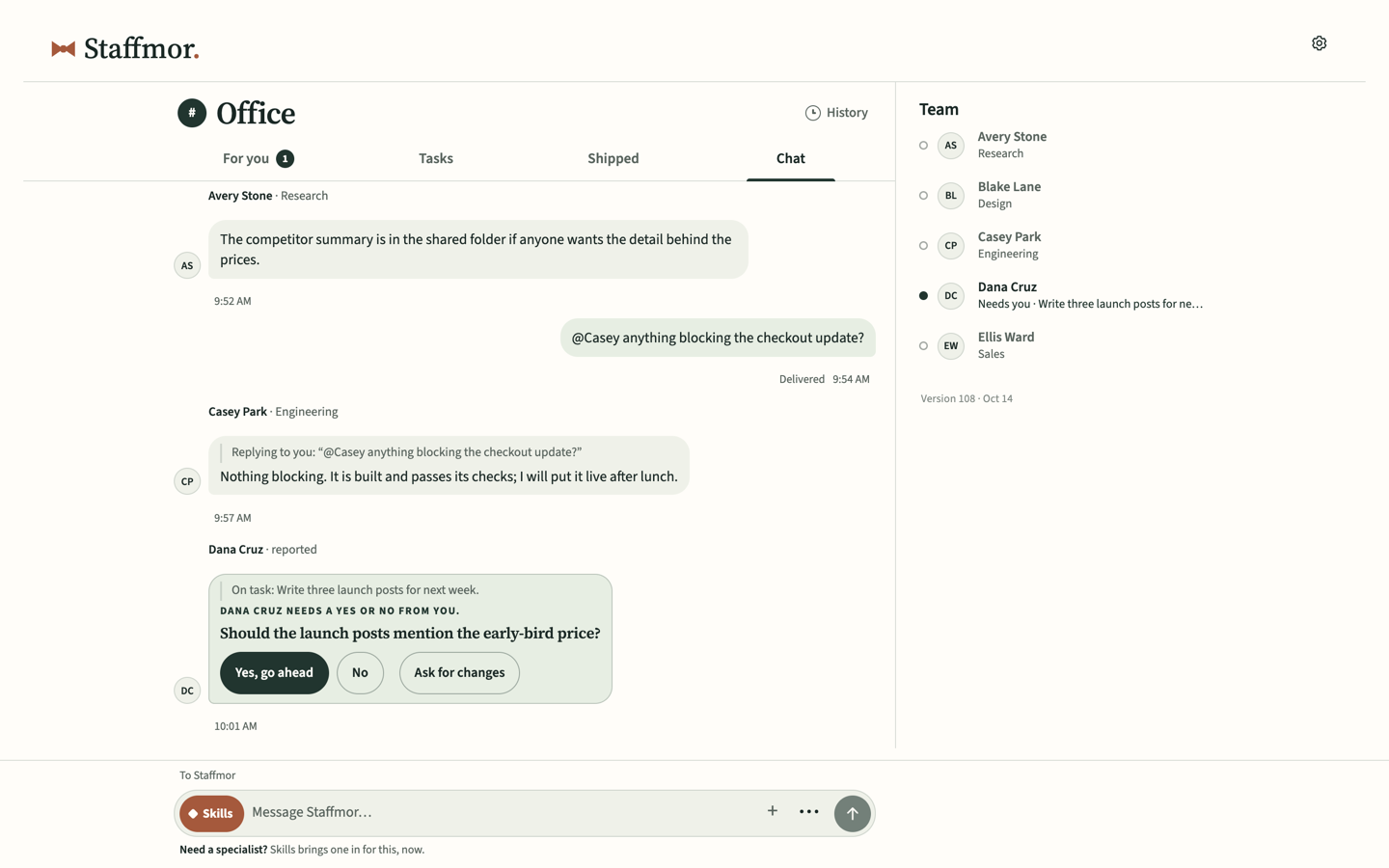
Staffmor puts both in one office. Set up Claude Code or Codex with an empty folder. Staffmor does the rest: a starter team with defined roles, shared instructions and handoff rules, and one workspace where the whole team's work lives. Start with either one and add the other later with your team and history retained. We recommend a mixed team.
How the connection works today: Codex can pick up office work on its own once you approve the supported local connection. With Claude Code, or with both together, keep the session open and tell it "Check Staffmor for work."
You use one or both of your own supported accounts, and your provider's pricing and limits apply. Set up your office → · See the plans →
Related: Claude Code vs Codex: how they differ · How our AI team built Staffmor.com · What is an agentic workforce?
Common questions
Do I need both Claude and ChatGPT subscriptions? No. Start with either. A mixed team is recommended once you want a second perspective or parallel work.
Is Codex the same as ChatGPT? Codex is OpenAI's coding agent, used through your OpenAI/ChatGPT account. Claude Code is Anthropic's coding agent, used through your Claude account.
Is Staffmor made by Anthropic or OpenAI? No. Staffmor is independent and isn't affiliated with or endorsed by either company.
Can Claude Code and Codex share the same instructions? Yes. Keep your rules in AGENTS.md and put one line, @AGENTS.md, in a CLAUDE.md beside it. Codex reads AGENTS.md directly and Claude Code imports it, so both follow one file.
Do Claude Code and Codex hand work to each other automatically? Not by themselves. They coordinate through what you give them: a shared instruction file, separate working copies and a written handoff. In Staffmor today, Codex can pick up office work once you approve the connection, and Claude Code picks it up when you tell it to check for work.