Your team, thoughtfully built.
What Is an Agent Harness? Why Setup Shapes What Agents Do
An agent harness is everything around the AI model that turns it into a working agent: its instructions, the tools it can use, what it remembers between sessions, what it's allowed to do, and how its work gets checked. The model supplies the intelligence. The harness decides what that intelligence sees, what it can touch, and when a job is actually done. Two teams using the same model can get very different results because of it.
Microsoft's definition is a good plain one: a harness is "the runtime scaffolding that turns a language model into an agent that can perform work" (Microsoft Learn). Claude Code and Codex are harnesses themselves. They wrap a model with file access, commands, permissions and project instructions.
What a harness is made of
| Part | What it does | What goes wrong without it |
|---|---|---|
| Instructions | Tell the agent its job, the rules and what "done" means | The agent guesses, and every session guesses differently |
| Tools | Let it read files, run commands, search, build | It can describe the work but can't do it |
| Memory | Carries decisions and progress between sessions | Work restarts without the earlier decisions |
| Permissions | Limit what it can change or send | It can do more than you meant it to |
| Checks | Tests, reviews and evidence that the work works | "Looks done" becomes the only signal |
Why the harness matters so much
Long-running work loses its thread. Describing agents that work across many sessions, Anthropic's engineers put the problem plainly: each new session "begins with no memory of what came before" (Anthropic). Their fix was a harness choice, not a better model. They added a progress file the agent reads first, a written list of requirements, one feature at a time, and a commit after each step.
More context isn't always better context. Anthropic's context-engineering guide warns about "context rot": as the amount of text grows, a model can get worse at recalling what's in it. The goal is "the smallest possible set of high-signal tokens" for the task (Anthropic). Irrelevant context makes the useful information harder to use.
Agents stop when the work looks done. Claude Code's own guidance is to give the agent a check it can run, such as tests, a build or a screenshot, because without one, "looks done" is the only signal (Claude Code docs).
Instructions have to be clear enough to follow. Claude Code's guide warns that bloated instruction files "cause Claude to ignore your actual instructions." Deciding what to leave out is a large part of writing a harness well.
A harness for one agent vs a harness for a team
One agent needs instructions, tools and a way to check its work. A team needs more:
- Roles, so each agent knows its job and what isn't its job.
- Ownership of tasks, so two agents don't do the same work twice.
- Handoffs, so work moves to the next owner with the context it needs, and nothing more.
- Shared decisions, so something the owner settled once stays settled.
- One place for the person, so decisions come to you without you reading every message.
Most teams with AI agents build this by hand, one instruction file and one habit at a time. That's the part Staffmor does for you.
How Staffmor builds the harness
Staffmor is launching as a team harness built on top of Claude Code and Codex. It doesn't replace their harnesses. It adds the team layer around them.
In our local build today:
Shared guidance through the files each tool already reads. Setup writes the team's guidance to STAFFMOR.md. AGENTS.md points the assistant there, and CLAUDE.md imports AGENTS.md, so Claude Code and Codex start from the same source when they load it.
Roles with clear responsibilities, and channels that follow them.
One owner per task. An agent claims a task before starting, and only the holder reports or hands off.
A home for decisions. The Needs-you home shows what needs your call, what's in progress and what's finished.
Plain code for the bookkeeping. Setup, seats and notifications run without an AI call, so your model usage goes to the work.
Working guidance and your preferences. The first compact working guidance (taking ownership, candid recommendations, carrying decisions forward, finishing with evidence) and an editable note of the owner's working preferences are now included in our local build. Including guidance isn't the same as proven results, so we'll show what it does before we claim more.
Still being built:
- Researched briefs for each role.
- Matching lighter models to simple tasks and stronger models to hard ones, and showing usage.
- A living brief of decisions and results, linked to their sources.
- Claude Code and Codex agents completing work together in one office.
We describe each of these as available only once it works.
Your harness, set up for you
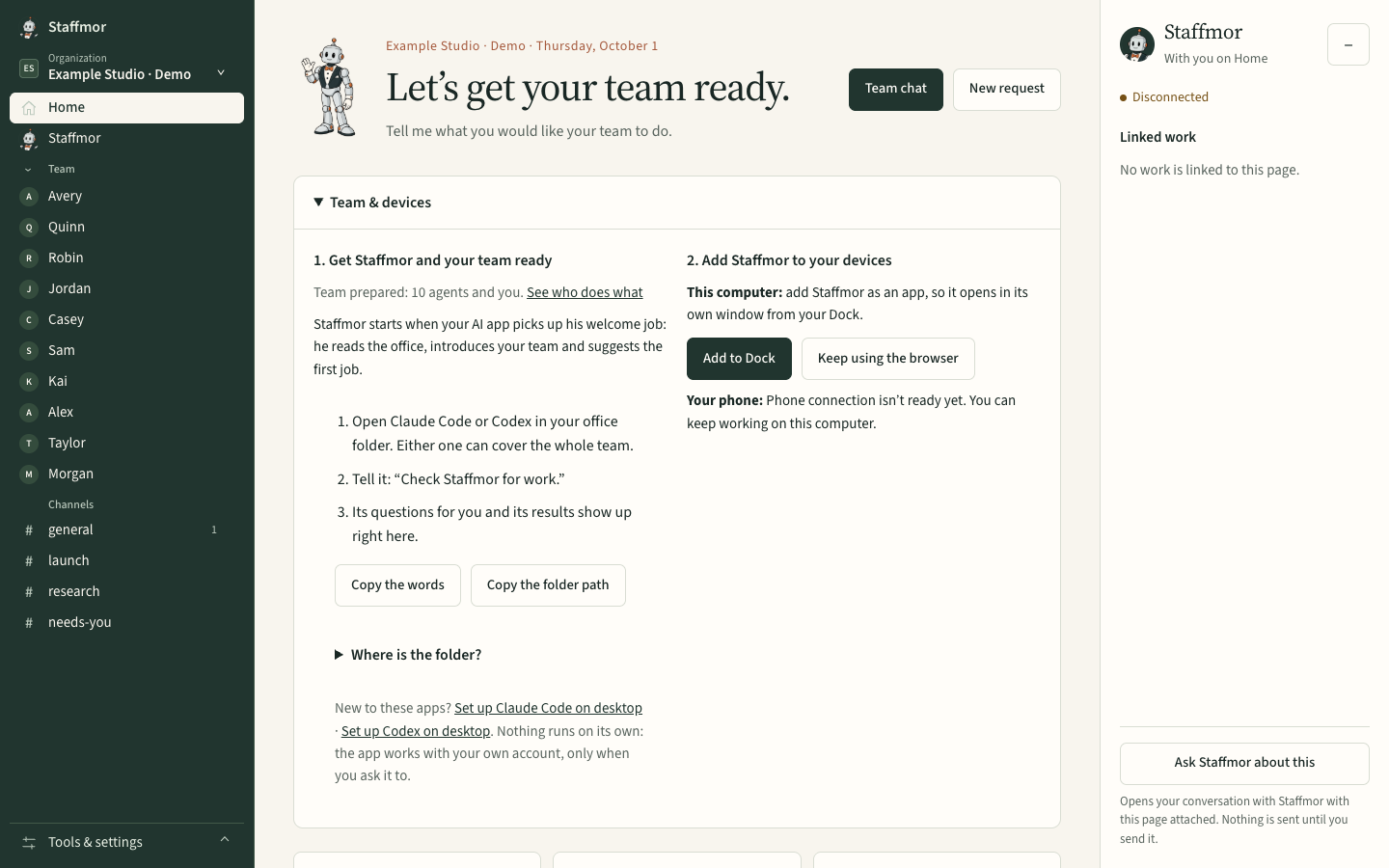
Set up Claude Code or Codex with an empty folder, and Staffmor does the rest: a thoughtfully built AI team, with the harness already in place. Staffmor is available as a desktop-first beta. Use your own Claude Code or Codex account. See the plans →
Next: How to write instructions AI agents actually follow · How to set up an AI agent team