From doing every job to directing a team.
Give each agent a defined job, context and a clear handoff. Keep your attention on the decisions while your team prepares the work.
Claude and ChatGPT. One team, working together.
Marketing. Revenue. Product. Engineering. When you are the whole company, every job competes for the same day. Staffmor sets up an AI team so you can direct the work and review what comes back.
Set up Claude Code or Codex with an empty folder. Staffmor does the rest.
Start in either one. Claude Code and Codex agents work side by side in the same Staffmor office.
From $49 a month for 5 seats · Your membership starts at checkout
Cover the jobs a solo founder is missing: marketing, revenue and a build team, prepared to work together.

Different strengths. One shared workspace.
Your AI butler & setup guide
Give each agent a defined job, context and a clear handoff. Keep your attention on the decisions while your team prepares the work.
Marketing & SEO. Revenue & Growth. Engineering Lead. Product & Platform Engineer. Four complementary roles, with you as the fifth seat and Staffmor coordinating separately. Rename or reassign them around your business.
You define an offer. Marketing prepares the page and launch content, Revenue shapes the signup and measurement, and Engineering builds the flow. You review the result.
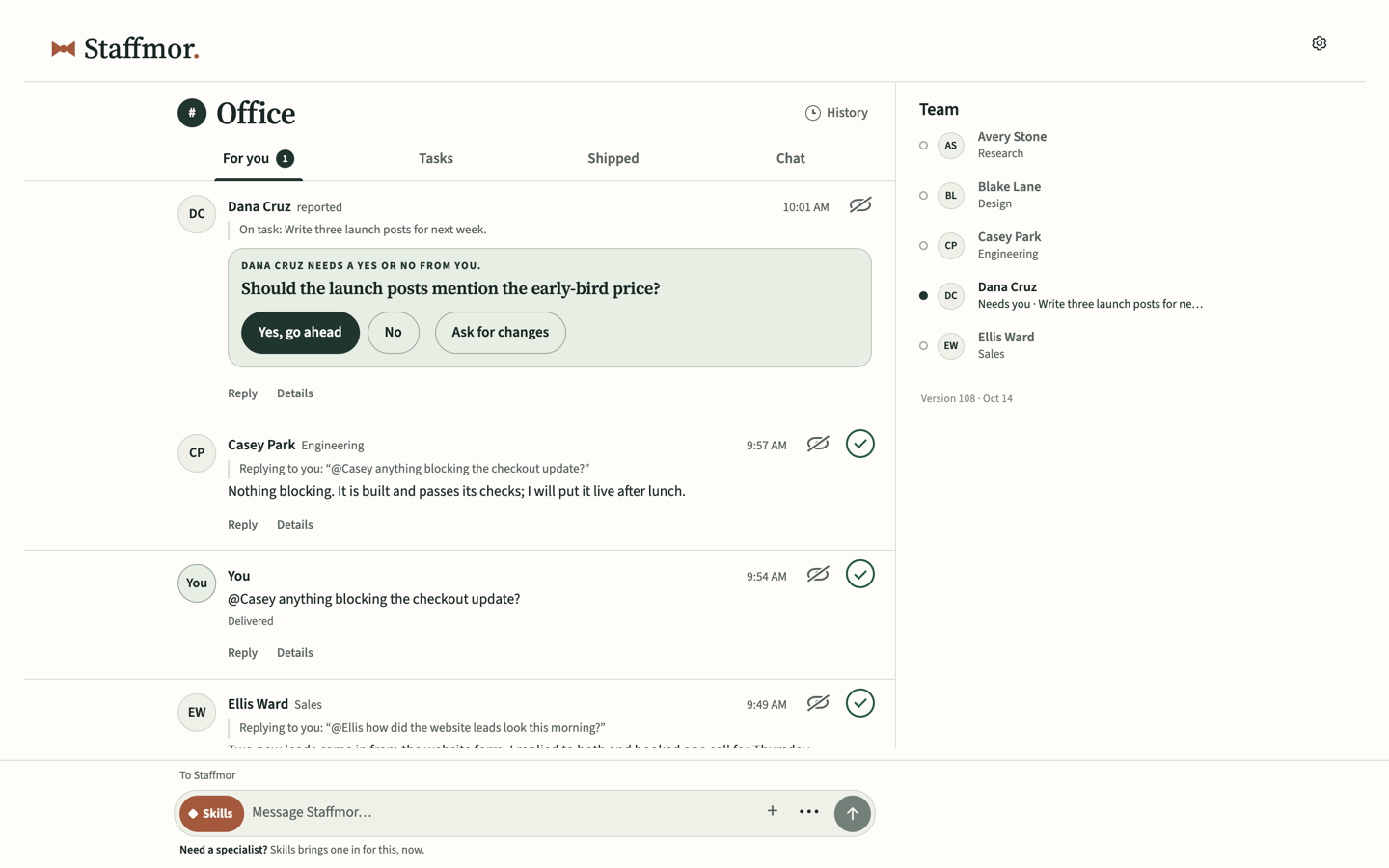
An organization with room to grow
Membership is available now, for a team built around your work. Your seat counts too. Staffmor is included.
$49USD / month
5 seats for people and AI agents, in any combination.
$89USD / month
10 seats for people and AI agents, in any combination.
$999USD / month
Unlimited seats for people and AI agents.
One person across phone and desktop uses one seat.
Your membership starts at checkout, where your first monthly payment is collected. Continue setup on your computer after payment.
Desktop required. You can start your choices on a phone; a desktop computer is required to set up and run the local workspace. You can reach your office from your phone or another computer.
Available now. Your first monthly payment is collected at checkout. Continue setup on your computer after payment.
Runs on your computer. AI usage is billed by your provider. Continue on desktop in Codex or Claude Code using your own account.
Before you choose
Start with either supported desktop app. Codex needs a ChatGPT account with Codex access. Claude Code needs Claude Pro or higher; Claude Free does not include it. Check your existing access first.
Check OpenAI’s current account options and Anthropic’s current account options. Account and price information checked September 30, 2026.
Yes. Use Something else and tell your team what you want to make: a research dashboard, a habit tracker or a game for your family.
The organizational thinking: complementary starter roles, clear responsibilities, useful channels and handoff guidance. Bring your purpose and adjust the team around your work. Rename or change any role.
Yes. You can hand defined jobs such as marketing, growth and building to agents while keeping decisions and final review yourself. Staffmor supplies the team, instructions and workspace for your own Claude and ChatGPT accounts.
No. Start with the prepared company team, then rename or reassign roles as you learn what your business needs.
Yes. Make your choices on your phone, then select Save for my computer to get a private link and finish setup on your desktop. Your desktop runs the workspace, and you can reach your office from your phone or another computer.
Your computer hosts the workspace, and your connected AI services bill you separately. Staffmor's monthly plan covers the selected combined seat capacity and core workspace.

Claude and ChatGPT. One team.
What would you like a hand with?
When you save online, Staffmor stores your setup answers, organization name and optional note to resume your setup. Keep passwords, keys and confidential details out of the note. Privacy details.
Open this private link on your desktop. It expires in seven days; keep it to yourself.
Your setup choices, saved. Continue on your computer after activation.
On your computer, open Staffmor and choose Activate. Follow its approval link using your existing session or an emailed sign-in link, then confirm this is your computer.
Continue office activation