Your team, thoughtfully built.
How to Set Up an AI Agent Team: Context, Handoffs and Checks
To set up an AI agent team, decide four things before the first task: what each agent sees, who owns each piece of work, how work passes from one agent to the next, and how finished work gets checked. Give each agent only the context its job needs. Let exactly one agent own each task. Write handoffs down. And require evidence before anything counts as done. The roles tell agents what to do; this setup is what keeps the work from falling apart between them.
Picking the roles comes first (the first four roles to fill). This guide covers what comes after.
1. Decide what each agent sees
It's tempting to give every agent everything. Don't. Anthropic's context-engineering guide treats context as a limited resource: as text piles up, a model can recall any single piece of it less reliably, and the aim is the smallest set of high-signal information for the task (Anthropic).
In practice:
- Shared: the team's goal, the rules everyone follows, and decisions the owner has made.
- Per role: the role's own job, its tools and its files.
- Per task: the request, the relevant decisions and links to sources, so the agent pulls in more only when it needs it.
Anthropic calls that last habit "just-in-time" retrieval: keep references, and load the details when the task needs them.
2. Give every task one owner
When two agents pick up the same request, you get two versions and a merge problem. The fix is simple: an agent claims a task before starting, and nobody else works on it while the claim is held. Only the owner reports on it or hands it off.
3. Write handoffs down
A handoff is a small written brief, not a transcript. A good one says:
| Field | Example |
|---|---|
| What's done | "Landing page draft is in /site/launch." |
| What's next, and for whom | "Revenue & Growth: set the offer and price block." |
| Decisions that still apply | "Owner chose monthly only, no annual plan." |
| Evidence | "Preview link; page passes the build." |
| Open question | "None." |
Anthropic's long-running-agent harness used the same idea: a progress file that each new session reads first, because each session "begins with no memory of what came before" (Anthropic).
4. Make "done" checkable
Agents stop when the work looks finished. Give each kind of work a check that returns pass or fail: tests and a build for code, a screenshot compared with the design for pages, sources linked for research. Claude Code's guidance is to have the agent show evidence, such as the test output or the command it ran, instead of asserting success (Claude Code docs).
5. Keep yourself in the right loop
You don't need to approve every step. You need to see:
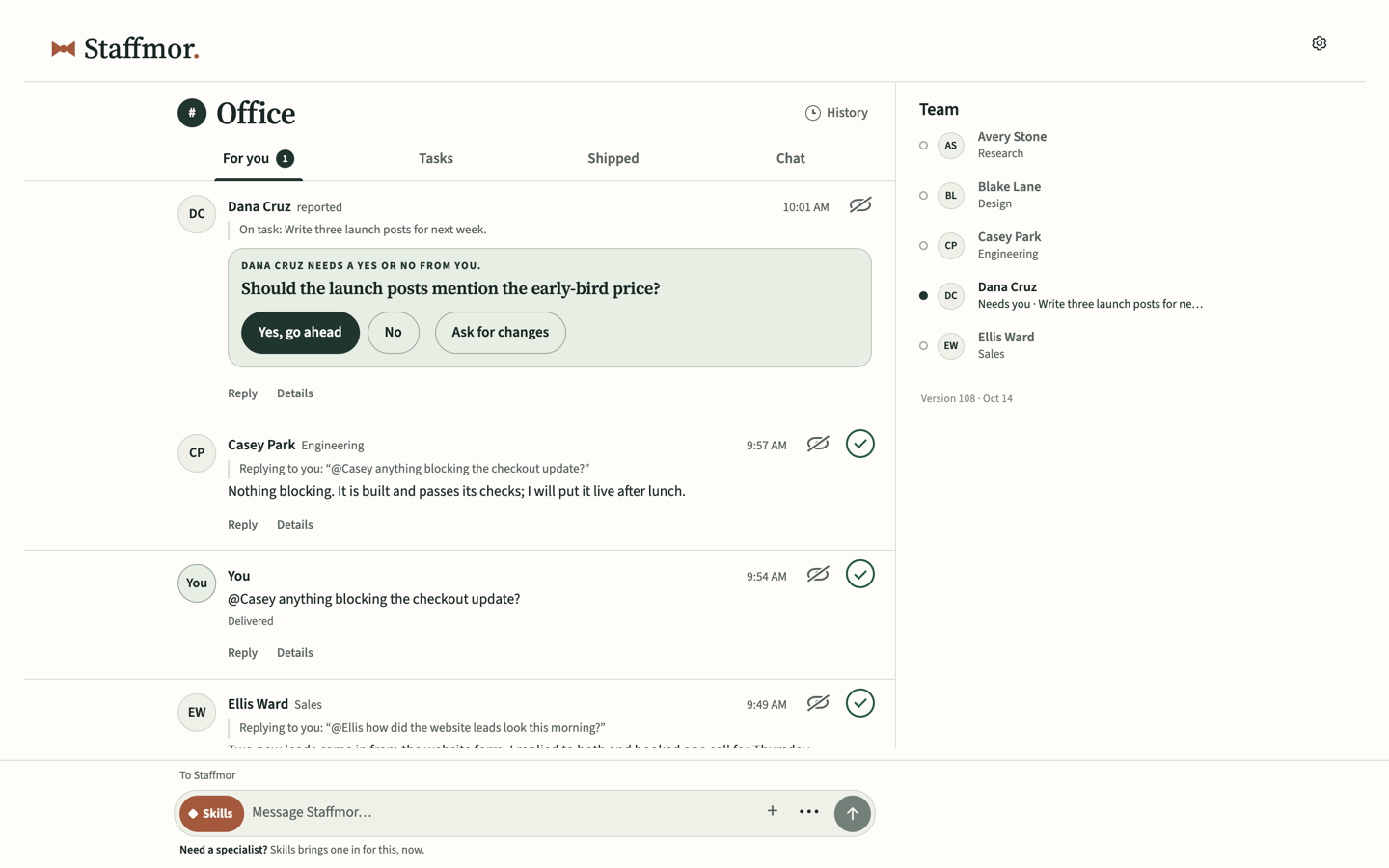
- decisions only you can make, one clear question at a time;
- what's in progress, when you want to look;
- finished results, with evidence.
Get the owner's approval before a consequential action outside the scope already granted. Routine work within that scope keeps moving, subject to the tool's controls.
6. Set limits the tools enforce
Write the rules down, but don't rely on writing alone for the important ones. Claude Code and Codex both have permission and sandbox controls, and the default local Codex CLI/IDE sandbox limits writes to the workspace with network access off (OpenAI). The permission settings you configure decide what each agent can actually do. Keep secrets out of the files agents read.
A setup checklist
- Roles chosen, each with one clear job.
- One short shared instruction file both Claude Code and Codex read.
- A brief for each role: job, tools, handoffs.
- A claim rule: one owner per task.
- A handoff format everyone uses.
- A check for each kind of work.
- One place where decisions come to you.
- Permissions and sandbox settings chosen on purpose.
Try it on one small task
Before you build a whole team, run the setup on one task you can check in five minutes. Using the made-up bicycle workshop from our start-a-business guide:
The request: "Read workshop-facts-v1.txt and return a six-item arrival checklist for customers. Use only the facts in that file. Mark anything missing as an open question. Do not send it to anyone or change the booking page."
The source file says Saturday at 10 a.m., bring your own bicycle, tools supplied. A good result lists those confirmed facts and leaves the venue as an open question. A bad result invents a parking policy or promises a finished repair. That one request exercises the whole setup: the agent saw only what the task needed, one owner did the work, the output has a check (every line traces to the source), and nothing left your control.
Or let Staffmor set it up
This checklist is what Staffmor sets up from an empty folder. Set up Claude Code or Codex with an empty folder. Staffmor does the rest.
What you do: on your computer, open your own ChatGPT or Claude desktop app, switch to Codex or Claude Code, open an empty folder and paste the setup prompt from the Staffmor setup page. That chat becomes your Staffmor coordinator and walks you through sign-in, the download approval and folder access.
In the current local app: roles and channels, shared instructions in STAFFMOR.md, an AGENTS.md entry file and a CLAUDE.md import; role-specific working guides; task claims and written handoffs; and History records you can return to. The guide supplied with a role is context for its work, not evidence that the role has completed your task.
What still needs your setup and judgment: sign in to your own supported AI account, approve the download and local folder/network access, and check the first useful result. Choosing roles does not connect an AI app. Claude Code uses the check-for-work step below.
What you'll see as work moves:
- Saved: the office recorded your request.
- Accepted: the original request has a recorded pickup receipt; this is not the finished answer.
- Working: the task is underway.
- Result: an answer or file is back in the original conversation.
Codex can pick up office work on its own once you approve the supported local connection. With Claude Code, or with both together, keep the session open and tell it "Check Staffmor for work." A request is finished when a real answer or file comes back and passes its check, not when it is saved.
Membership is available now. Use your own Claude Code or Codex account. Set up your office → · See the plans →
Related: What is an agent harness? · How to write instructions AI agents actually follow · Is it safe to run AI agents on my computer?